Sync iCloud with Outlook
Free Software to synchronize iCloud with Microsoft Outlook
 FREE DOWNLOAD
No Commitment. Privacy Policy and
System Requirements
 PURCHASE
Software you can trust Licensing (EULA)
Compare Free with Pro
Sync2 Cloud Customers Reviews

About Sync2 Cloud
Sync2 Cloud is a Free* software product to sync and share iCloud with Outlook. Sync your Microsoft Outlook Calendar, Contacts and Tasks with Google, iCloud and Office 365.
Sync iCloud to Outlook and other Sync2 Cloud features
Sync iCloud Calendar with Outlook

With free Sync2 Cloud software, you can sync your iCloud with Microsoft Outlook 2007, 2010, 2013, 2016. You can access and edit your information either in iCloud or Outlook.
Sync iPhone with Outlook without iTunes
With Sync2 Cloud you can sync Outlook with iPhone without iTunes. Sync Microsoft Outlook Calendar with iCloud or iPhone. You can add events to your Outlook calendar and they will be synchronized with your iPhone.
Sync iPhone, iPad, multiple iCloud accounts with Outlook
Using Sync2 Cloud you can sync Outlook with multiple iCloud accounts. You can easily share your calendars with your family or colleagues. Edit events and add them to both calendars at once, as well as sharing separate calendars.
How to Synchronize iCloud with Outlook
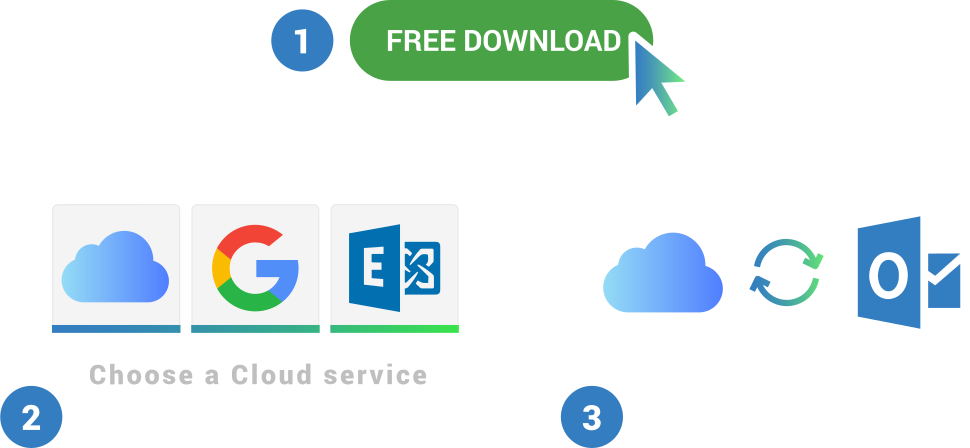
- Disconnect Outlook from iTunes synchronization;
- Download and Install Sync2 Cloud on a PC where Microsoft Outlook needs to be synchronized;
- Launch Sync2 Cloud, select “Add source/account”, choose iCloud synchronization option and log in to you iCloud account;
- Click “Finish” and synchronization begins;
- Repeat steps 3-6 to add Calendars from other iCloud accounts, if you want to sync Outlook with multiple iCloud accounts.
- Note: You will need to enable your iCloud account to your iPhone device to begin the synchronization process.
In a few moments your outlook calendars will be synchronized.

About 4Team Corporation
The company behind Sync2 Cloud
We are a Microsoft Gold Certified Partner and independent software developer and vendor. Since 1999 we are building Synchronization and Sharing tools for Microsoft Outlook to our corporate customers and individual end-users worldwide. We are very proud to be highly recommended by our satisfied customers, and offer award-winning support.
Our satisfied customers
Customers all over the world are successfully using 4Team Corporation services for personal and business needs